
How to Check if a Car Is Still Under Warranty — Without Calling the Dealership
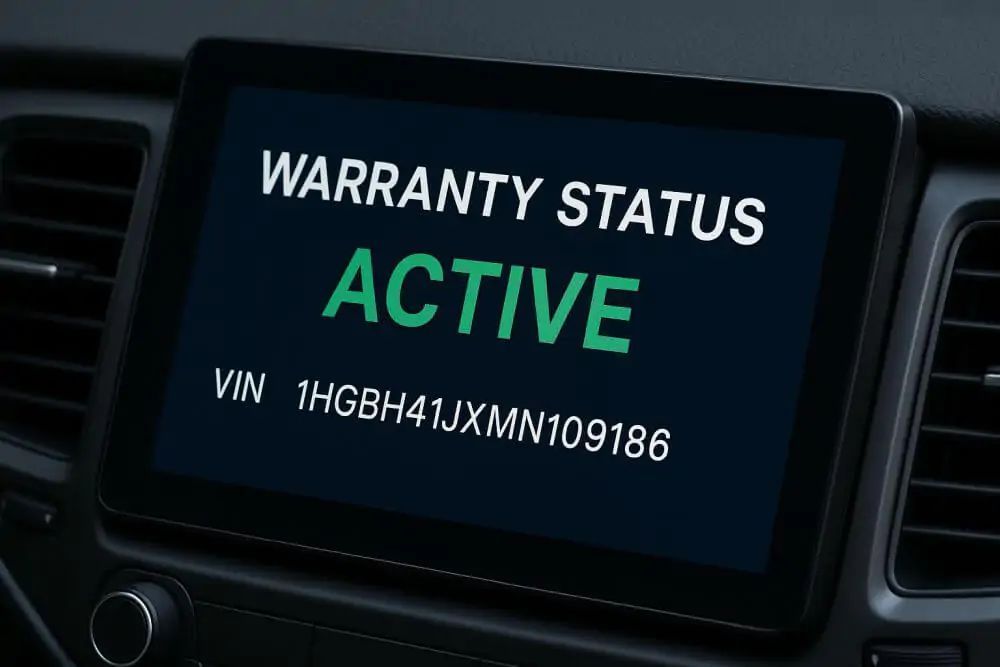
No one wants to sit on hold with a dealership just to find out whether a car is still covered by warranty. The good news? You can confirm warranty status in minutes using your VIN and a few reputable online tools. This guide shows you the fastest, most reliable ways to verify factory, powertrain, emissions, hybrid/EV, and certified pre-owned (CPO) coverage—no dealership calls required.
What “Under Warranty” Actually Means
Car warranties are bundles of coverage that start on the vehicle’s in-service date (the day it was first sold or put into service). Coverage varies by brand, but typically includes:
Each coverage is limited by both time and mileage—coverage ends when either limit is reached.
What You Need Before You Start
To check if a car is still under warranty, gather the following:
The Fastest Ways to Check Warranty Without Calling a Dealer
1. Use the Automaker’s Owner Portal (Free)
Most manufacturers offer online owner portals where you can:
- Create an account
- Add your VIN
- Sometimes see warranty coverage and expiration details
Search for your brand’s portal, such as:
Once you’ve added the VIN:
Tip: If you’re evaluating a used car, ask the seller to log into the owner portal and show you the warranty screen while you’re present.
2. Check the Automaker’s Mobile App
Many brands provide mobile apps that mirror their owner portals. After you add the VIN, the app may show:
- Warranty or coverage summaries
- In-service date
- Recall alerts and service reminders
If you already use connected services (remote start, telematics, etc.), you may already have the app and just need to add the VIN.
3. Use a VIN-Based Warranty Check Tool
If you want a quick, neutral lookup without creating accounts, a VIN-based warranty tool is often the easiest option.
With a single VIN search, a tool like VinCheckPro’s warranty check by VIN can help you:
- View basic vehicle specs and history signals that impact value and coverage
This is especially useful when you’re:
- Comparing multiple used cars
- Verifying seller claims about “still under warranty”
- Screening vehicles from online listings before visiting in person
4. Get the In-Service Date from a Vehicle History Report
If the owner portal doesn’t show warranty details, the next step is to find the original in-service date using a VIN-based history report.
A detailed report can show:
- Dealer or manufacturer warranty entries
- Ownership changes
- Mileage progression
- Title brands (salvage, rebuilt, flood, etc.)
Why this matters:
5. Calculate Coverage Yourself
Once you know the in-service date and current mileage, you can estimate what’s left of each warranty type based on the manufacturer’s published terms.
Example3 years from 08/15/2022 is 08/15/2025, so the basic warranty has already expired based on time.
Mileage:28,400 miles is under 36,000 miles, but time limit was exceeded first, so coverage is still expired.
Repeat this calculation for:
- Powertrain coverage
- Corrosion / perforation
- Hybrid / EV system coverage
- Emissions warranty (federal/CARB)
Always apply the “whichever comes first” rule.
6. Verify Recalls Separately (They’re Always Free to Fix)
Recalls are not the same as warranty, but they are always repaired at no charge by an authorized dealer.
Check for open recalls using the official NHTSA site:
If your VIN shows an open recall, you can schedule a free repair—even if regular warranty coverage has expired. This is a great safety check to pair with a VIN history report.
7. Look for CPO and Extended Service Contract Coverage
Certified Pre-Owned (CPO)
If the vehicle was sold as Certified Pre-Owned by a franchised dealer of the same brand, it likely came with additional warranty coverage. To verify:
- Ask the seller to show CPO status in the brand’s owner portal
- Confirm coverage terms (start date, end date, mileage limits)
Pair this with a VIN check to ensure the CPO label matches the vehicle’s actual history.
Extended Service Contracts
Prior owners may have bought manufacturer-backed or third-party extended coverage. To verify:
- Check emails or service receipts for contract details
- Visit the provider’s website and search by VIN or contract number
Typical Warranty Terms at a Glance
These are common U.S. ranges (always confirm for your exact brand and model):
Note: Commercial use, fleet use, rideshare, or branded titles (salvage, flood, rebuilt) can limit or void coverage. Always review the manufacturer’s warranty guide and verify title status using a vehicle history report.
Pro Tips to Avoid Warranty Mistakes
What If You Need a Definitive Answer Without Calling a Dealer?
If you still want a clear, written confirmation:
If you’re buying from a private seller or dealer:
Cross-check this with your own VIN-based warranty lookup to be safe.
Quick Warranty Lookup Checklist
Before you buy or schedule repairs, run through this list:
- [ ] VIN and current mileage recorded
- [ ] Brand owner portal or app checked for in-service date and coverage
- [ ] Manufacturer’s warranty terms confirmed
- [ ] Emissions coverage verified for your state
- [ ] CPO or extended service contract documents located (if applicable)
Frequently Asked Questions
Does the NHTSA site show warranty status?No. NHTSA only shows recalls and safety issues. Warranty status must be verified through the manufacturer, an owner portal, or a VIN-based warranty tool.
Can a vehicle be out of basic warranty but still covered under powertrain or emissions?Yes. Each coverage type has its own time and mileage limits. A car can be out of bumper-to-bumper coverage but still have active powertrain or emissions protection.
Is a vehicle history report required?Not required, but highly recommended. It helps identify the in-service date, title issues, usage type, and mileage history that directly affect warranty eligibility.
Is an extended service contract the same as factory warranty?Not exactly. Manufacturer-backed plans are closest to factory coverage, while third-party contracts vary widely in what they cover and how claims are handled. Always read the contract details.
Bottom Line
You don’t need to call a dealership to find out whether a car is still under warranty. With just the VIN, current mileage, and a few online tools—especially the automaker’s owner portal or app, a good vehicle history report, and a warranty check by VIN—you can quickly confirm what’s left of the basic, powertrain, emissions, and hybrid/EV coverage.
Whenever possible, get confirmation in writing, save screenshots or PDFs, and keep them with your records. That way, you’ll have confidence before scheduling repairs, negotiating a used car deal, or listing your own vehicle for sale.
Ready to Check Warranty and History in One Place?
Before you buy or sell any used car, run a VIN search to see:
Use VinCheckPro’s tools to get started:
Checking now can save you thousands in surprise repairs and help you move forward with confidence.
About the Author
Brandon Lee
Brandon Lee is a classic car restorer and fabricator who spends his time rescuing old metal and rebuilding it piece by piece. He’s dealt with rust-bucket projects, bad bodywork, and cars with confusing chains of ownership. At VinCheckPro.com, Brandon focuses on older vehicles and project cars—explaining how VIN checks, casting numbers, and careful inspection help confirm a car’s true identity and condition.